Be Prepared. Be Protected. Be Ready.
Be Prepared.
Be Protected.
Be Ready.
Xpress-Guardian gives you a simple way to store important medical and personal information and make it available to the people who may need it—while keeping you in control of what you share.
How does the Xpress-Guardian Emergency Safety ID Card work?
Simple protection. Important information. When it matters most.
Xpress-Guardian provides an Emergency Safety ID Card designed to help you make important medical and personal information available when you may not be able to communicate for yourself.
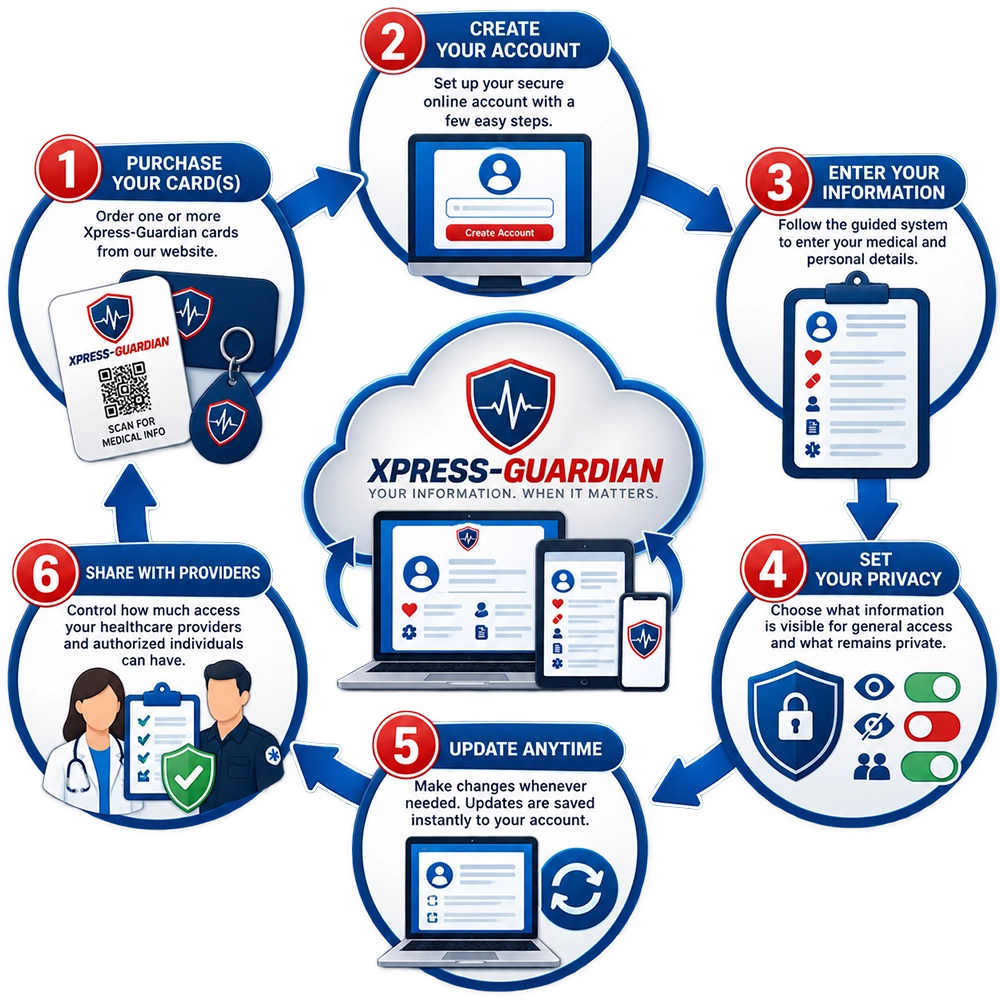
01.
Create Your Profile
Enter the important medical and personal information you want available when it matters most. You decide what information you share.
02.
Get Your Xpress-Guardian Card
Your personalized Xpress-Guardian card provides a simple, convenient way to carry access to your important information wherever you go.
03.
Be Prepared When It Matters
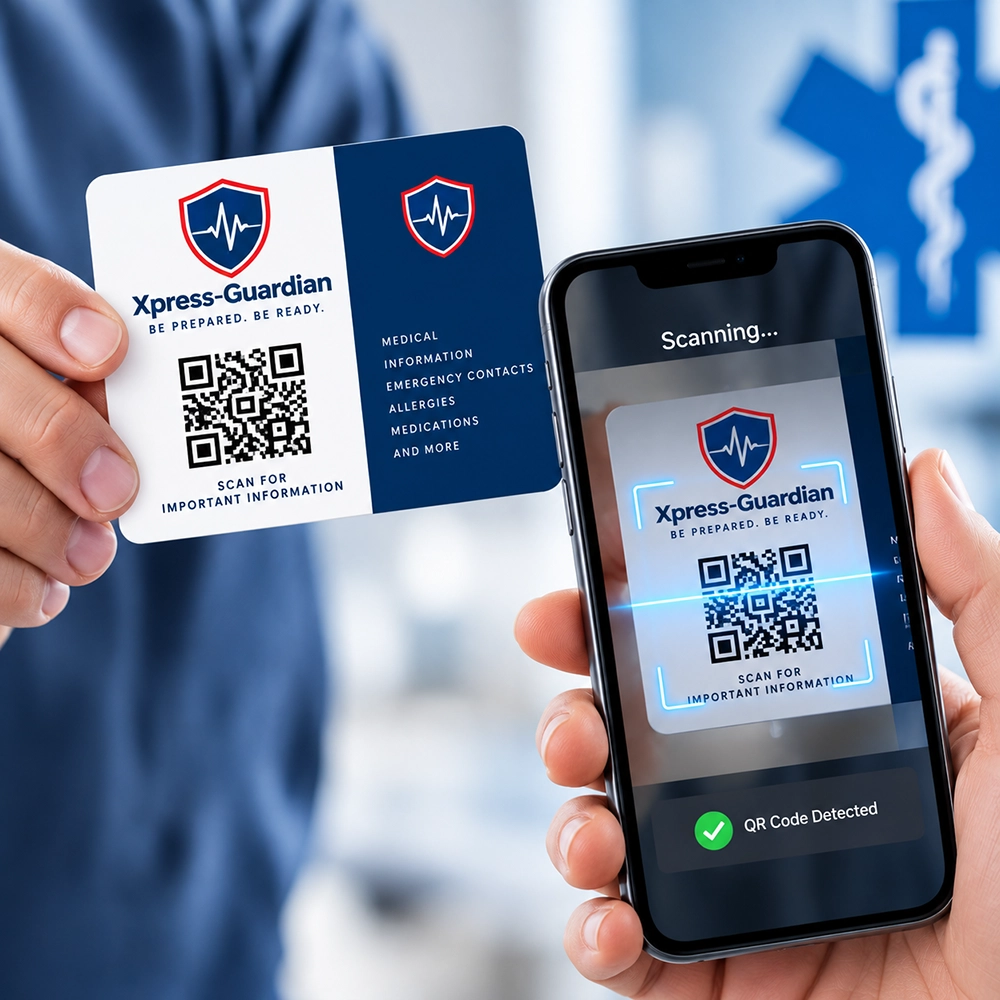
If an emergency occurs, authorized individuals can scan your card to access the information that may help them better understand your needs and respond appropriately.
The Information That Matters
Your Xpress-Guardian profile can put important medical and personal information within reach when it may be needed most.
Depending on what you choose to provide, your profile can include:
- Medical Conditions
- Medications
- Allergies
- Emergency Contacts
- Physician & Healthcare Information
- Insurance Information
- Important Personal Information
- Other Information You Choose to Share
You Stay in Control
You decide what information is included in your profile and what you choose to make available. Your information can be updated as your needs change.
Emergency preparedness starts with having important information readily available.
Xpress-Guardian provides one way to help accomplish that.
The American Red Cross recommends keeping emergency contact information and important medical information up to date and accessible as part of being prepared for an emergency.
Protection for the People Who Matter Most
Xpress-Guardian is designed for anyone who wants important medical and personal information available when it may be needed most.

Families
Keep important information available for children, parents, and other family members when you’re not there to provide it yourself.

Seniors
Provide caregivers and others with access to important information that can help in an emergency.

Individuals
Take control of your important information and have it readily available wherever life takes you.

Caregivers
Help ensure the people you care for have important medical and emergency information accessible when needed.
Frequently Asked Questions
Everything you need to know about using Xpress-Guardian.
How does Xpress-Guardian work?
Xpress-Guardian provides a secure way to store important medical and personal information and make it accessible when it may be needed most. Your information is connected to your Xpress-Guardian ID card, allowing authorized individuals to access the information you choose to share.
How do I get started with Xpress-Guardian?
Simply purchase your Xpress-Guardian Emergency Safety ID card and create your account. Once your account is established, you can enter your medical and personal information and customize what information is available through your ID.
What information can I add to my Xpress-Guardian account?
You can enter important information such as medical conditions, medications, allergies, emergency contacts, physician information, and other personal details that could be helpful in an emergency.
Can I control what information is shared?
Yes. Xpress-Guardian puts you in control of your information. You can choose which information is available and which information remains private. You can also change these settings as your needs change.
Can I update my information after I create my account?
Yes. You can update your information whenever necessary. Changes made to your online account are reflected in your Xpress-Guardian information so you can keep your records current.
How does someone access my information in an emergency?
Your Xpress-Guardian ID card provides a way to access your information through the card’s identification/QR code. When scanned, the available information can be viewed according to the access settings you have established.
Who can access my Xpress-Guardian information?
Access depends on the information you have chosen to make available. You remain in control of what information is shared, allowing you to provide useful information without necessarily making your entire personal medical history available.
What happens if my medical information changes?
Simply log in to your Xpress-Guardian account and update the information. If the change requires a new physical card, you will need to notify Xpress-Guardian that a replacement card is required.
What if I need to change my photo?
Your photo can be updated as part of maintaining your Xpress-Guardian information. When a replacement card is issued, your updated photo can be used on the new card.
What happens if my card is lost or stolen?
You can request a replacement Xpress-Guardian card. Replacement cards and the applicable maintenance terms are explained on the Maintenance page.
Be Prepared Before You Need It.
Give yourself and those around you another way to access important information when it matters most.